How to detect foliage using an Inference Overlay
How to detect foliage based on an Inference Overlay:
- First add a Satellite Overlay. This will be used as input for the Inference Overlay.
- Add an Inference Overlay
- With the Inference Overlay added and selected, click on Select Neural Network.
- In the selection panel, select the Neural Network named foliage.onnx and click select.
- Now select Use A Input Overlay and select the previously added Satellite Overlay.
- Make sure the Grid cell size is between 25-50cm, can be adjusted by selecting (Change Grid).
- Finally select Update Now and see the results.
-
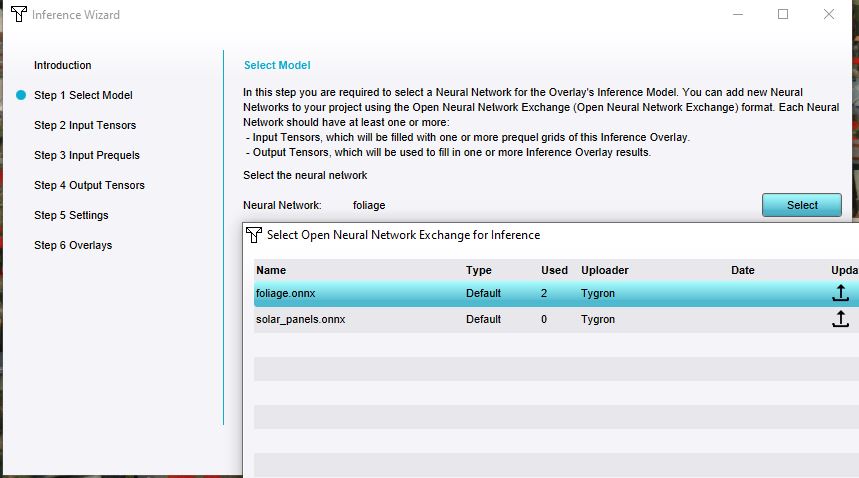 Select the Foliage Neural Network.
 -
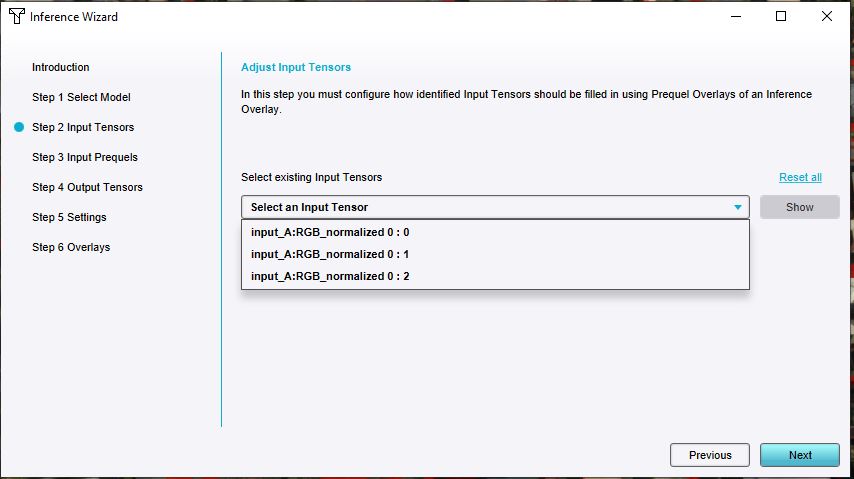 Verify the existence of input tensors.
 -
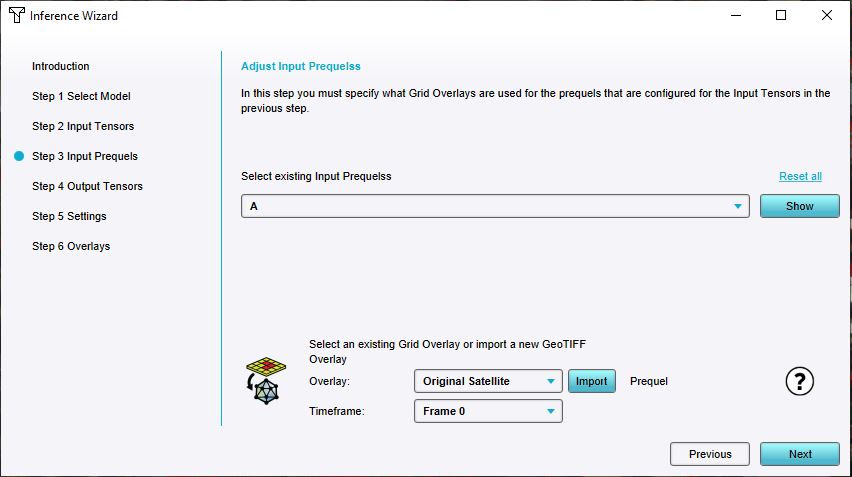 Select Satellite Overlay for prequel A.
 -
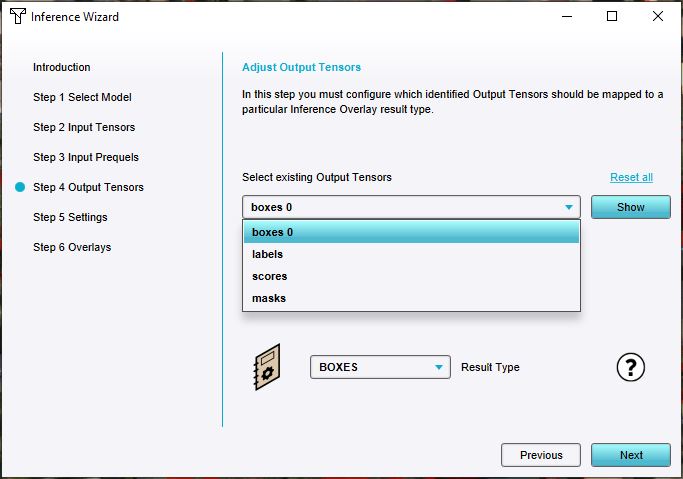 Verify the existence of output tensors.
 -
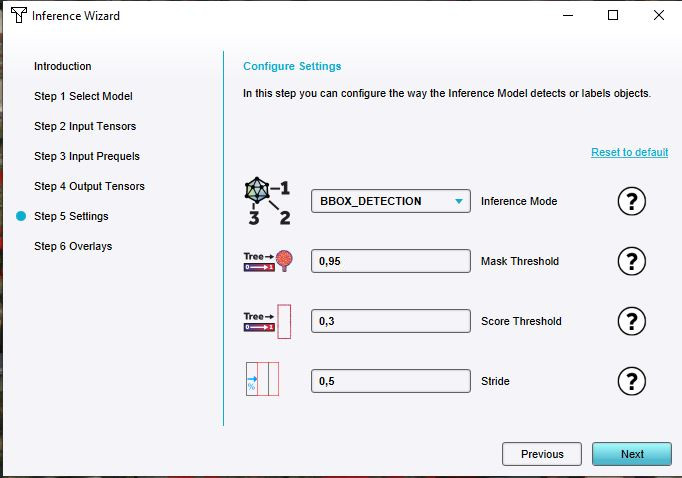 Default settings should identify foliage, but can be tweaked.
 -
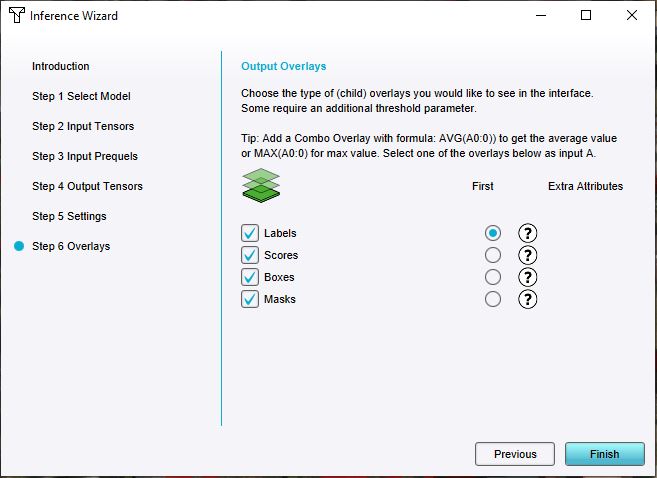 Add all result overlays.
 -
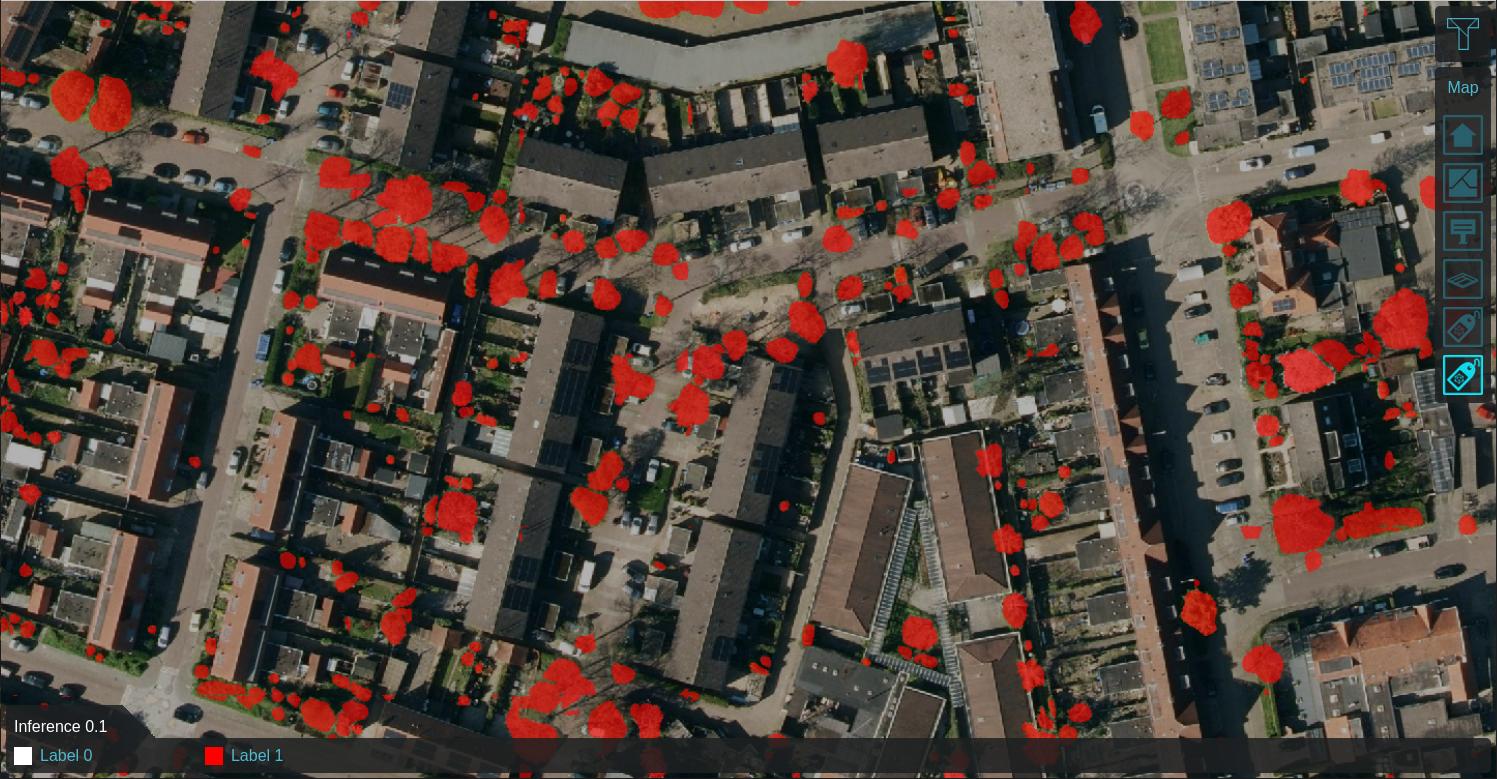 Labeled features on 0.1m satellite image after calculation.


Notes
- The detected foliage overlay can be used to import as trees or foliage areas into your project.