Shoreline (Water Overlay): Difference between revisions
Jump to navigation
Jump to search
No edit summary |
No edit summary |
||
| (6 intermediate revisions by 2 users not shown) | |||
| Line 2: | Line 2: | ||
{{Overlay attributes|type=row|overlay=Water | {{Overlay attributes|type=row|overlay=Water | ||
|attribute=SHORELINE | |attribute=SHORELINE | ||
|unit= | |unit=Nominal value | ||
|range=0 to 2 | |||
|icon=Waterwizard_icon_shoreline.png | |icon=Waterwizard_icon_shoreline.png | ||
|description=Whether to automatically fill cells near a water terrain when there is a mismatch between the extend of the water terrain and the DEM. | |description=Whether to automatically fill cells near a water terrain when there is a mismatch between the extend of the water terrain and the DEM. | ||
|defaultvalue= | |defaultvalue=1 | ||
}}</onlyinclude>}} | }}</onlyinclude>}} | ||
When a Waterway polygon is not correctly positioned in relation to the DEM this can result in filling up the nearby land with water at the start of the simulation. This will result in a lower water level then is expected from the water area value. To correct this, a "shoreline" is added at neighbouring cells. At the start of the simulation, these shoreline cells will also be filled with water up to the nearby water level to prevent the initial flush. | When a Waterway polygon is not correctly positioned in relation to the DEM this can result in filling up the nearby land with water at the start of the simulation. This will result in a lower water level then is expected from the water area value. To correct this, a "shoreline" is added at neighbouring cells. At the start of the simulation, these shoreline cells will also be filled with water up to the nearby water level to prevent the initial flush. | ||
{{nominal list|zeroindex=true | |||
|| '''None''' : No neighboring cells will be added to the shoreline. | |||
|| '''One cell''': Direct neighboring cells will be added to the shoreline (default). | |||
|| '''Two cells''': Direct and diagonal neighboring cells will be added to the shoreline. | |||
}} | |||
<gallery mode=nolines> | <gallery mode=nolines> | ||
| Line 18: | Line 25: | ||
{{article end | {{article end | ||
|notes= | |notes= | ||
|howtos= | |howtos= | ||
* [[How to add and remove an Attribute]] | * [[How to add and remove an Attribute]] | ||
Latest revision as of 11:40, 30 October 2025
| Icon | Attribute | Unit | Range | Description | Default value |
|---|---|---|---|---|---|
 |
SHORELINE | Nominal value | 0 to 2 | Whether to automatically fill cells near a water terrain when there is a mismatch between the extend of the water terrain and the DEM. | 1 |
When a Waterway polygon is not correctly positioned in relation to the DEM this can result in filling up the nearby land with water at the start of the simulation. This will result in a lower water level then is expected from the water area value. To correct this, a "shoreline" is added at neighbouring cells. At the start of the simulation, these shoreline cells will also be filled with water up to the nearby water level to prevent the initial flush.
| 0. | None : No neighboring cells will be added to the shoreline. |
| 1. | One cell: Direct neighboring cells will be added to the shoreline (default). |
| 2. | Two cells: Direct and diagonal neighboring cells will be added to the shoreline. |
-
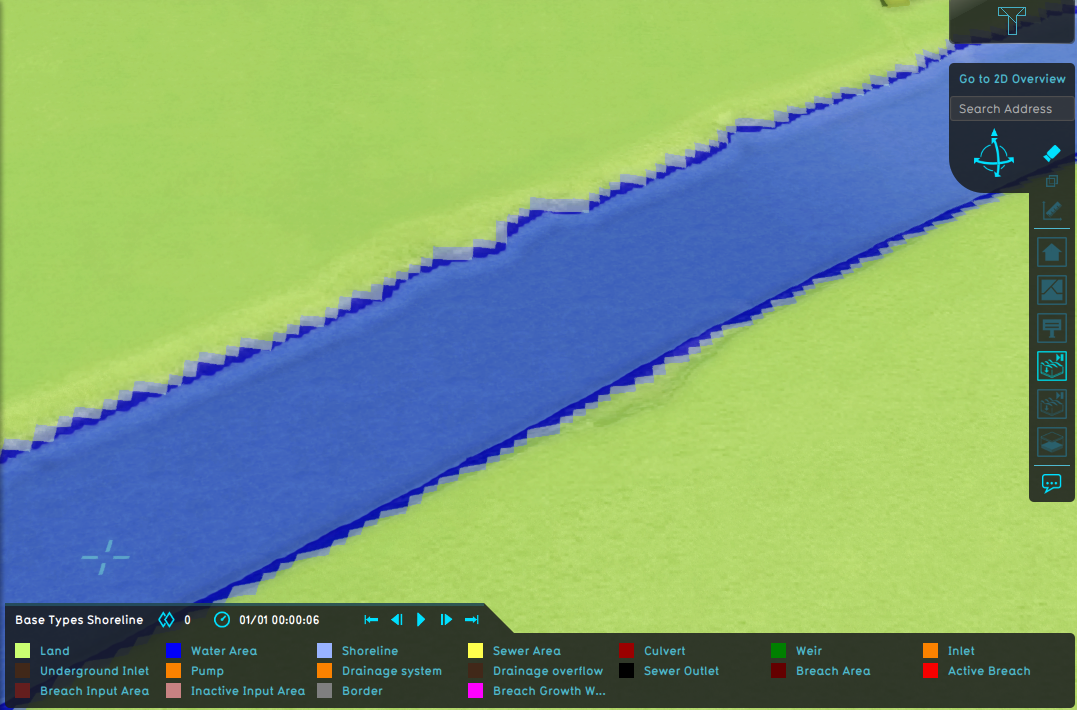 Water Overlay with shoreline active.
 -
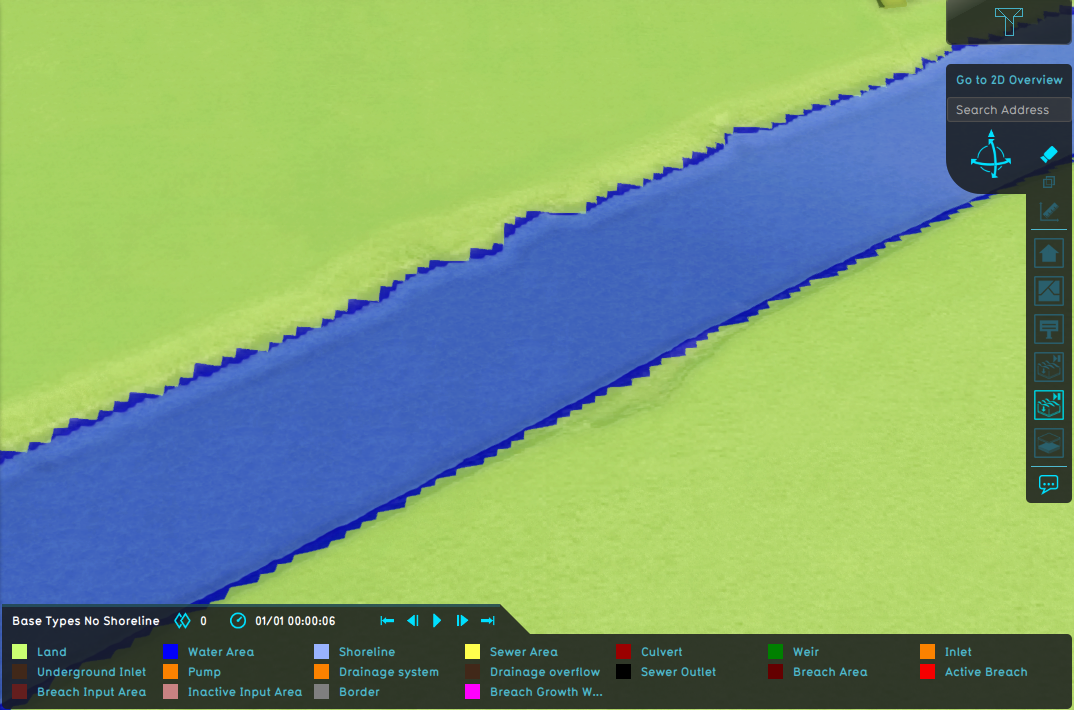 Water Overlay without shoreline active.
 -
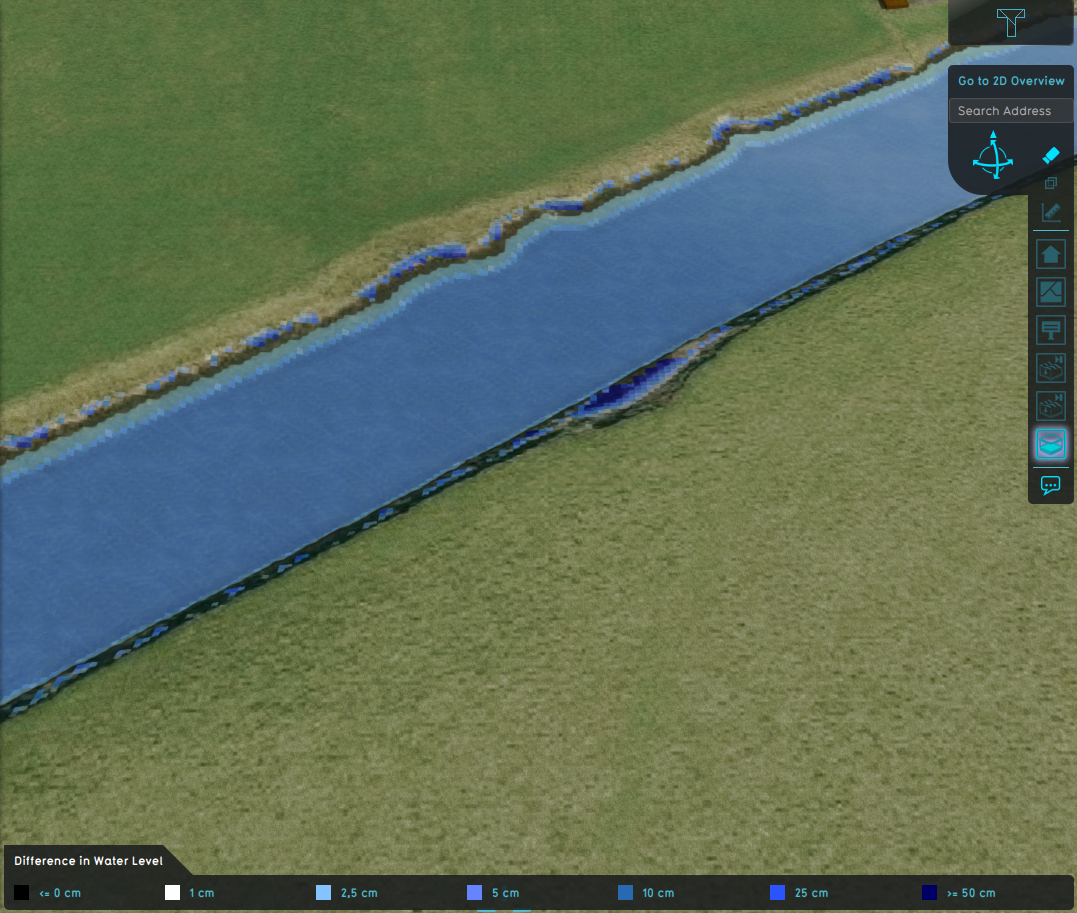 Difference in water level.


How-to's



- Group
- Model attributes
- Allowed water increase m • Avg shore width m • Avg terrain width m • Avg terrain storage m • Breach measurement distance m • Bridge elevation • Culvert dem threshold m • Design flood elevation m • Ground bottom distance m • Ground bottom pressure m • Ground water • Ground water depth m • Ground watertable with surface • Impact flood threshold m • Impact range m • Increased resolution • Infiltration factor s
- Limit area • Limit rain • Max infiltration m • Max water bottom m • Microrelief storage fraction • Min max elevation • Object entry correction • Prequel surface level relative • Rise rate distance m • Sewer overflow threshold • Shoreline • Duration min level m • Stabilizer angle • Start date ms • Surface water • Surface water evaporation factor • Timeframe times • Timeframes • Trim manning • Trim evapotranspiration • Trim root depth • Trim ground infiltration • Trim ground conductivity • Trim shoreline conductivity
- Related