How to export Sketchup models to IFC: Difference between revisions
Jump to navigation
Jump to search
No edit summary |
No edit summary |
||
| (2 intermediate revisions by one other user not shown) | |||
| Line 1: | Line 1: | ||
<youtube>pbQfVeST3hI</youtube> | |||
3D models can be exported from [[Sketchup]] to an [[IFC]] format, so that they can be imported in the {{software}}. | 3D models can be exported from [[Sketchup]] to an [[IFC]] format, so that they can be imported in the {{software}}. | ||
| Line 18: | Line 17: | ||
<gallery mode="nolines"> | <gallery mode="nolines"> | ||
File:Sketchup Export dialog.jpg|thumb| | File:Sketchup Export dialog.jpg|thumb|Choose ifc file type | ||
</gallery> | </gallery> | ||
| Line 25: | Line 24: | ||
* [[IFC]] | * [[IFC]] | ||
|external= | |external= | ||
* https:// | * https://sketchup.trimble.com/en - The official Sketchup website | ||
}} | }} | ||
Latest revision as of 09:46, 27 October 2025
3D models can be exported from Sketchup to an IFC format, so that they can be imported in the Tygron Platform.
An IFC File can contain multiple hierarchies of Sites, Buildings, Building Storeys and individual Building parts, such as Structure Elements.
A basic knowledge of how to use the Sketchup software is assumed.
How to export Sketchup models to IFC:
- Open Sketchup and open the model that you wish to export.
- Make sure that the model is not too detailed if not needed because the import time in the Tygron Platform will be increased.
- When ready to export go to file -> Export model.
- In the export dialog choose IFC as export type.
- Wait for the export to finish.
- Import the IFC file in the Tygron Platform.
-
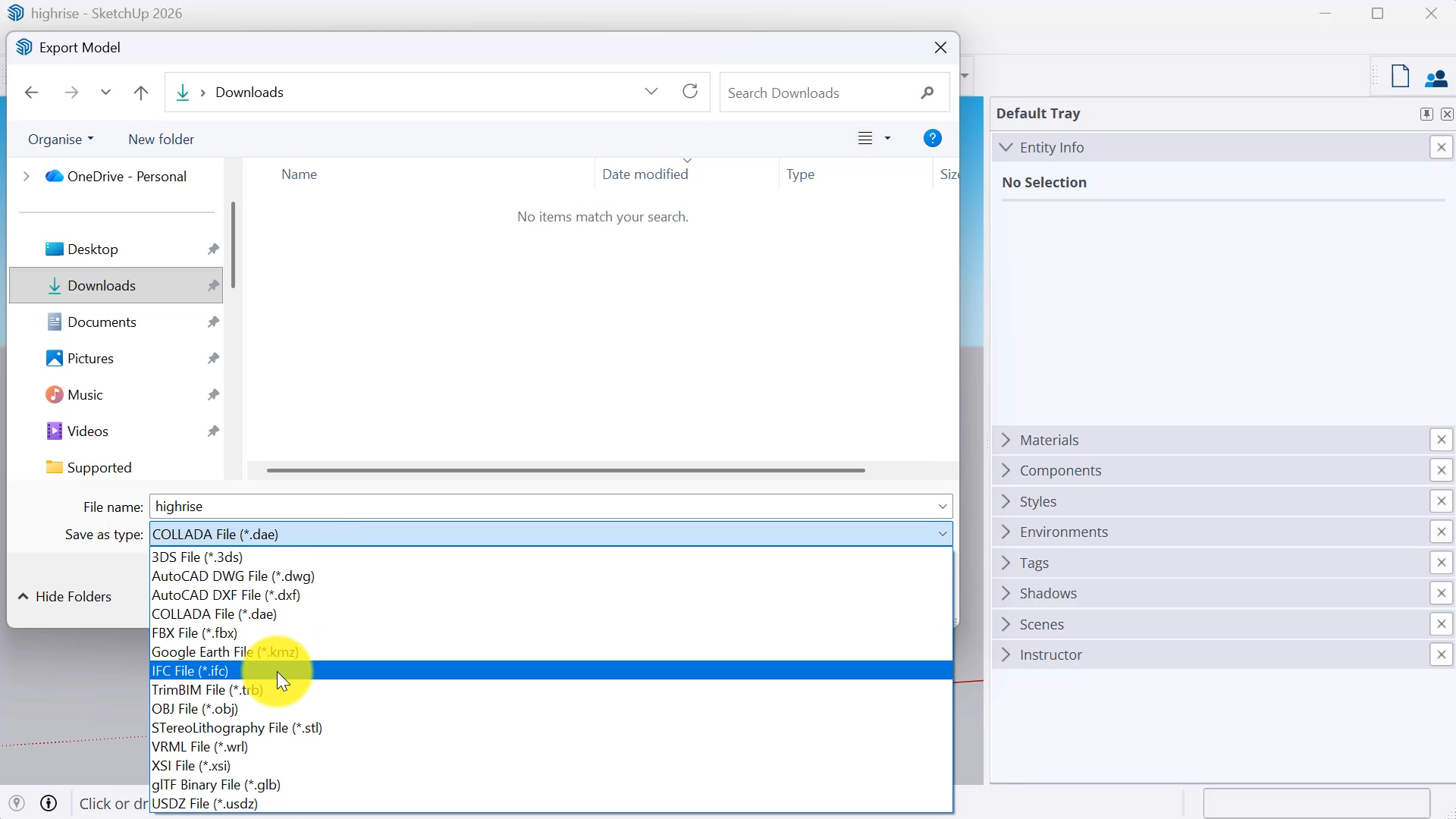 Choose ifc file type
