How to export Revit models to IFC: Difference between revisions
Jump to navigation
Jump to search
No edit summary |
No edit summary |
||
| Line 11: | Line 11: | ||
}} | }} | ||
<gallery mode="nolines"> | |||
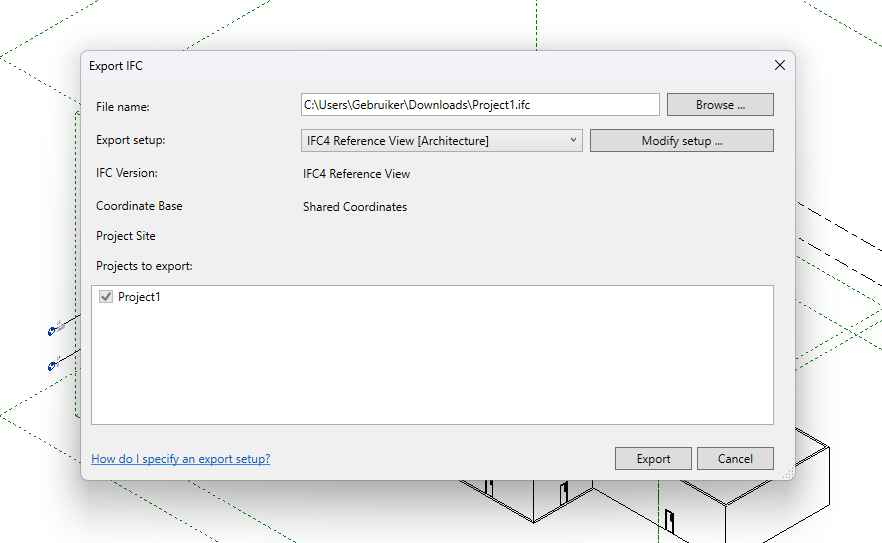
File:Revit export dialog.png|thumb|Revit export dialog | |||
</gallery> | |||
{{article end | {{article end | ||
Latest revision as of 09:00, 4 February 2026
How to export Revit models to IFC:
- Open Revit and open the model that you wish to export.
- Make sure that the model is not too detailed if not needed because the import time in the Tygron Platform will be increased.
- When ready to export go to file -> Export -> IFC.
- In the export dialog choose specifiy the location where the file should be exported.
- In the Export setup dropdown list choose IFC4 Reference view as option.
- Click on export.
- Import the IFC file in the Tygron Platform.
-
 Revit export dialog
