How to calculate Shadows
Shadows can be calculated by either the Shadow Overlay or the Heat Overlay. In case only Shadows are of importance, follow this how-to to add and setup a Shadow Overlay. More configuration options are provided at the end.
How to calculate Shadows:
- Select Current Situation in the ribbon bar
- Hover over Overlays and under Environmental, select Shadow.
- With the Shadow Overlay selected, click on the Configuration Wizard button to open the Shadow Wizard.
- Once the Shadow Wizard has initialized, click next to begin.
- In the Select Days step, click on the edit button and select a start and optional end date and select which hours of the day should be calculated.
- Click next to confirm.
- In the Hour Values step, inspect the chosen dates and hours of day and continue.
- In the Elevation step, select the default option: use Digital Terrain and Surface Model for elevation and click next.
- In the Foliage Step, select the default option Tree Function's height and click next.
- In the Foliage Function Step, optionally inspect Function values and click next.
- In the Visualize Crown Factor, optionally select the Foliage Crown Factor option and click next.
- In the continue to the Output Overlays Step and finish the wizard.
- With the wizard closed, click on the Update link in the Shadow Overlay Detail Panel.
- Inspect the Overlay by clicking on the play button in the Overlay legend panel.
-
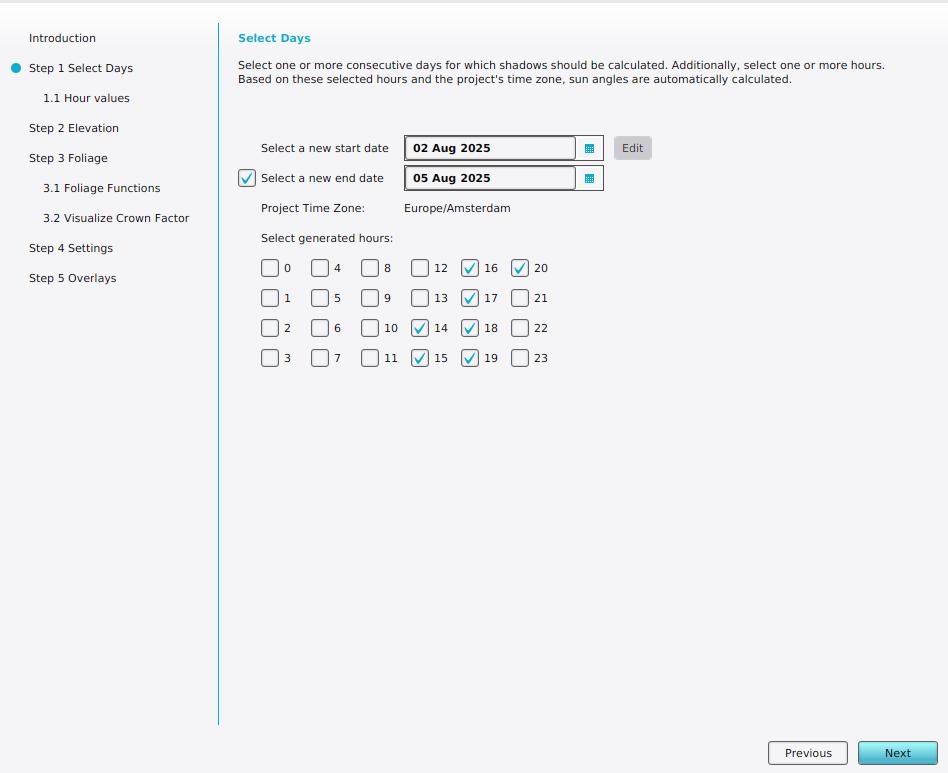 Select a start and end date.
 -
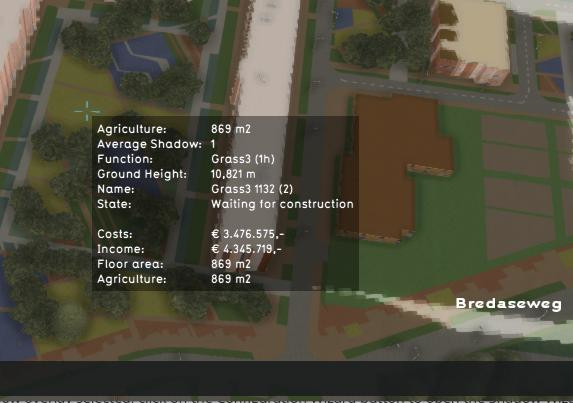 Tooltip of calculated shadow overlay.


Notes
- Grid Overlays can be used to provide an alternative Building and/or Terrain Elevation prequels, as well as Foliage Height.
See also