How to quickly model the effects of a sea-based storm
Jump to navigation
Jump to search
In ememergency situations or conditions it can be both useful and important to quickly set up a calculation model for broad-strokes consequences. This can include situations in which a huricane or other sea-based storm quickly imposes large amounts of water on a coastal area.
How to quickly model the effects of a sea-based storm:
- Generate a Project for the to-be-affected location. Ensure the size is commensurate with the size of the storm.
Note that for quicker calculations a Basic Mode project is recommended. - Ensure auto-calculate for the Project is off
- Use Areas → Add Complete Map Area, to add an Area for setting the sea Water level.
- Set the WATER_LEVEL Attribute of the Area to the expected sea-level.
- Add a Rainfall Overlay, and open its Configuration Wizard.
- In the Rain Event step, rename the currently selecter weather to "Storm".
- For the rainfall, enter the parameters of the storm to be calculated (the duration of the rain event and the amount of rain to fall in that period).
- Add another weather, and rename it to "Storm Short".
- Enter the same parameters for rainfall, but divide the time and amount of rain by 10. Keep the short storm selecter.
- In the Timeframes step further in the Configuration Wizard, set the amount of timeframes to a reasonable amount. 20 or 30 is proper in most cases.
- Recalculate the Project. Verify that the calculation time is reasonable, and would also be fine when multiplied by 10. Verify that some results are produced.
- Reopen the configuration wizard, and set the weather event to the proper Storm.
- In the Output Overlays step, select the results which may be of interest. Consider: surface last value, surface avg direction, surface flow, impacted buildings, and flood arival time.
- Recalculate the Project again, whcih by setting the storm to the full event will now give a simulation of the full storm.
- Once complete, inspect the results.
- Generate a Project for the to-be-affected location. Ensure the size is commensurate with the size of the storm.
-
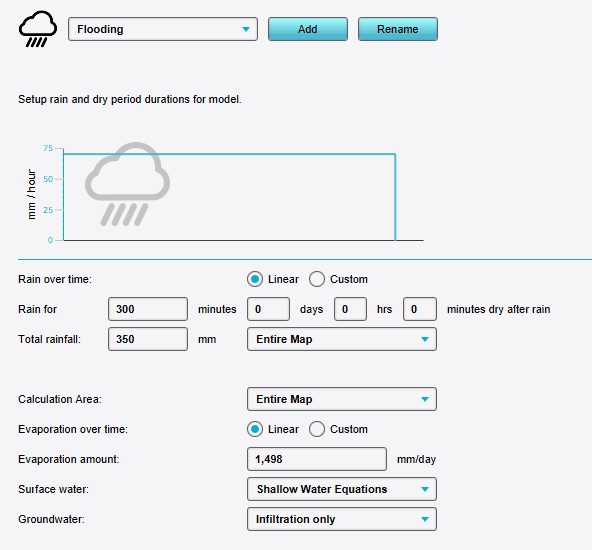 A simple and linear but very heavy rainfall event.
 -
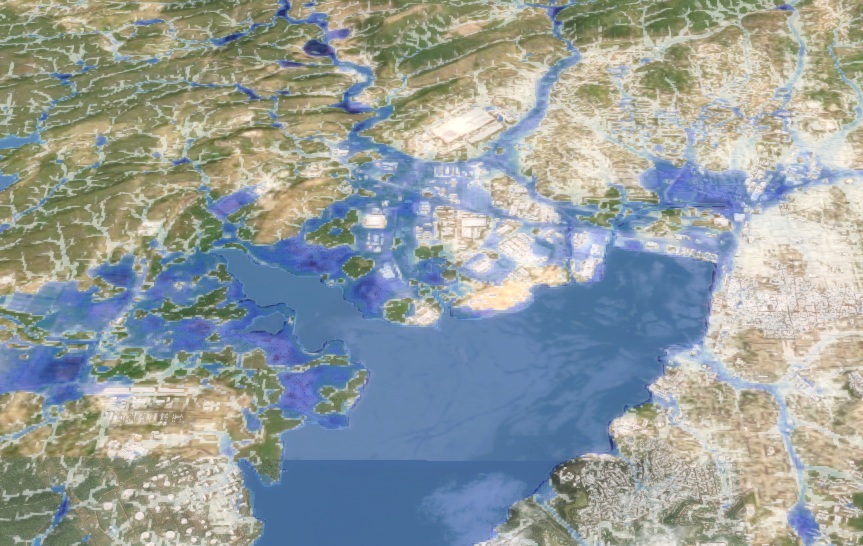 Excess water exists in many places on the map, but certain coastal areas are significantly hit.


Notes
- This approach is sufficient for a quick indication of affected areas, but also inherently makes very broad assumptions. Care must be taken when interpreting the results.