Pump area (Water Overlay): Difference between revisions
Jump to navigation
Jump to search
No edit summary |
No edit summary |
||
| Line 5: | Line 5: | ||
|description=When true the [[Pump (Water Overlay)|Pump]] is spread across the entire building surface. | |description=When true the [[Pump (Water Overlay)|Pump]] is spread across the entire building surface. | ||
|defaultvalue=0 | |defaultvalue=0 | ||
|range=0 to 1 | |||
|icon=waterwizard_icon_pump_area.png | |icon=waterwizard_icon_pump_area.png | ||
}}</onlyinclude>}} | }}</onlyinclude>}} | ||
Latest revision as of 15:11, 14 November 2025
| Icon | Key | Unit | Range | Description | Default value |
|---|---|---|---|---|---|
 |
PUMP_AREA | boolean | 0 to 1 | When true the Pump is spread across the entire building surface. | 0 |
-
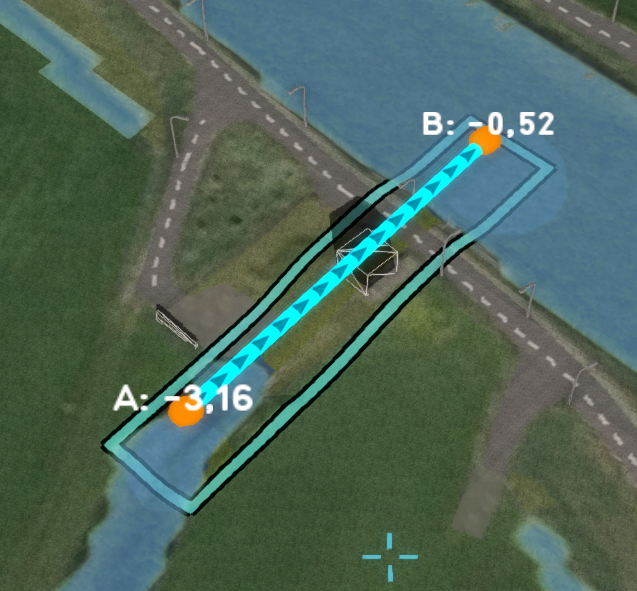 A pump consisting of one line area, with one entry point for the lower and one for the upper Water level areas. It only used a single cell to subtract water from, which might not be enough.
 -
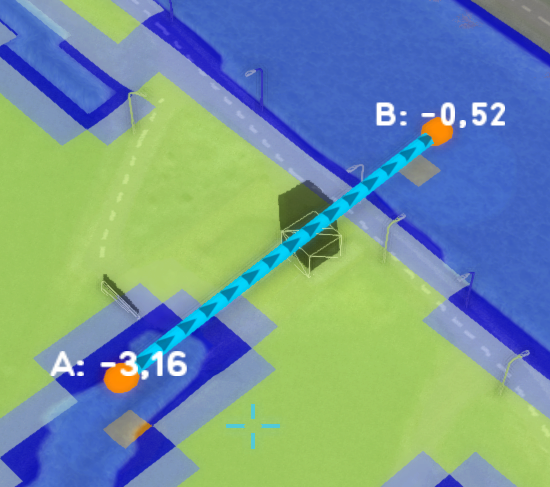 The base type overlay indicating that only one cell is used to subtract water from.
 -
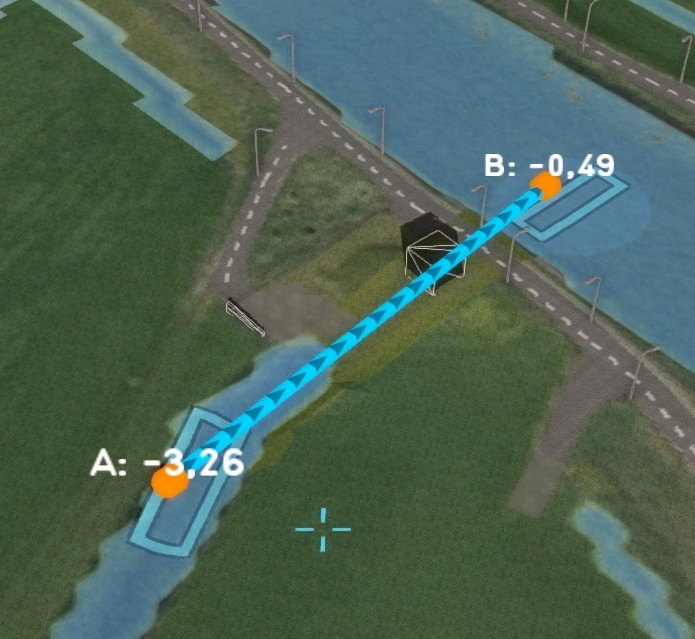 A pump consisting of two separate areas, one for the lower and one for the upper Water level areas. It uses a lower level threshold and requires multiple grid cells to subtract enough water. It is configured as a PUMP_AREA.
 -
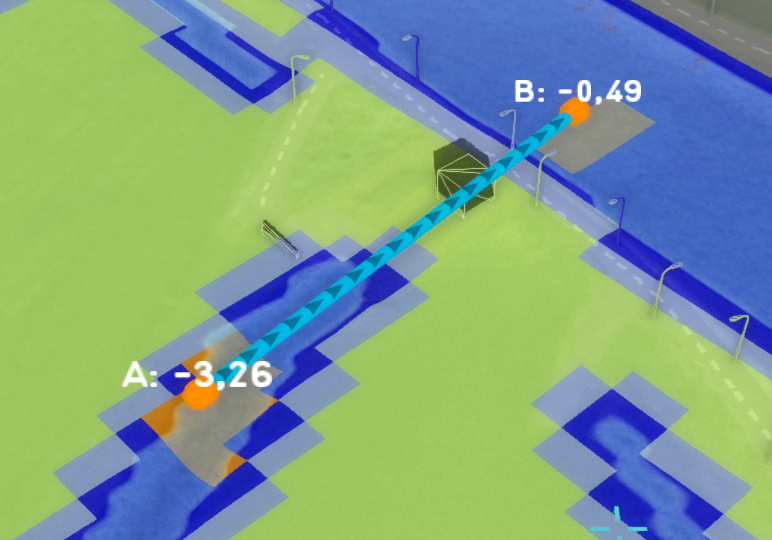 The base type overlay indicating that this pump now uses multiple cells to subtract water from.


Notes
- Selecting this option is useful when the PUMP_Q value is too large for a single cell.
- This requires the pump to consist of 2 discrete polygons. This can either be as a single section with 2 seperate polygons, or as 2 seperate sections with 1 polygon each.